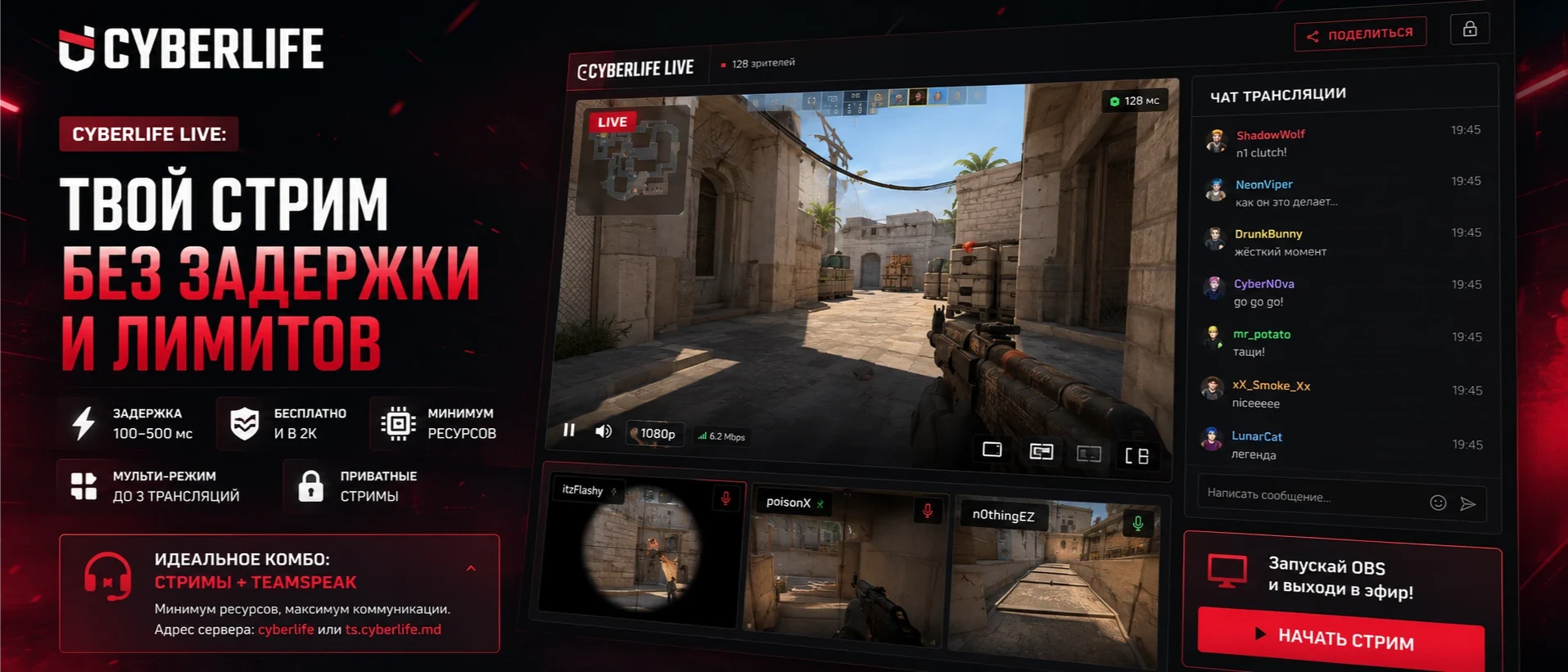
CYBERLIFE LIVE: Your stream without delay and limits
We all know the pain: you pull off an insane clutch in CS2 or a perfect combo in Dota 2, you want to show it to your teammates — and you launch a stream in Discord. In return, you get seconds of delay, pixelated mess in dynamic scenes, quality limits without a paid sub, and a heavy client eating up PC resources for both you and your viewers.
We decided enough is enough. CYBERLIFE is launching its own LIVE streaming system right on the website. Not just "another embedded player," but a full-fledged replacement for streams, powered by WebRTC technology.
🔥 Why is it better than Discord?
- 🔴 Delay 100–500 ms: The viewer sees exactly what you see in real-time. Commentate on the match — the picture won't lag behind your words for a second.
- 🔴 Free and in 2K: No Nitro subscriptions. Stream in max quality absolutely for free.
- 🔴 Minimum resources: Viewers just open a browser tab (even on mobile!), no client or registration needed. The streamer only uses standard OBS.
- 🔴 Team multi-mode: Playing in a stack? You can add up to 3 streams on one screen! Share one link with your friends, and you can see the whole team's POV, switching audio with 1, 2, 3 keys.
- 🔴 Private streams: Demo reviews "just for the boys" or closed praccs? Lock the stream with a personal password in one click.
⚙️ How to start streaming: 3 easy steps
Step 1: Access keys
Go to Profile → Edit → Streaming. Copy your Server (WHIP URL) and your personal Stream key from there.
Step 2: OBS Studio Setup (One-time)
In the "Stream" section:
| Service | WHIP |
| Server | Your WHIP URL from the profile |
| Bearer Token | Your Stream key |
In the "Output" section (Advanced mode):
| Encoder | x264 or NVENC H.264 (no AV1, no HEVC) |
| Bitrate | 4000–8000 Kbps (1080p) / 12000–18000 Kbps (2K) |
| Keyframe Interval | 1 |
| Profile | baseline |
| Tune | zerolatency (very important for zero delay!) |
Step 3: You're Live!
Click "Start Streaming" in OBS. The stream will automatically appear in the LIVE section on the website, and you can drop your personal link to friends. In the player, viewers get a chat with reactions, quality selection, and the S key displays a HUD with stats (bitrate, delay, packet loss).
🎙️ The Ultimate FPS Combo: Streams + Our TeamSpeak
Want to completely free your PC from resource-heavy background apps? Close Discord! We move voice comms to TeamSpeak (which barely uses CPU), and the video feed to the CYBERLIFE website.
Anyone can use our dedicated TS server absolutely for free.
cyberlife or ts.cyberlife.mdIf you have a team and want a permanent private room in TS — just create a ticket on our Discord, and we'll quickly set up your personal channel!
👾 Approved by the CYBERLIFE Team
By the way, we in the CYBERLIFE team have been actively using this streaming system for the past six months. It has worked flawlessly — stable, smooth video, and zero PC performance issues.
If you still have questions about OBS setup, ideas to improve the player, or you just want to help us make the project even better — welcome to our Discord! Open tickets, ask questions, we are always online and happy to get feedback.


Comments (2)
To leave a comment, sign in.